VIPERKIT
Incident Response Toolkit
● Active Development1. Snapshot
2. Why I Built This
Typical MSP incident response is reactive and incomplete:
- Run AV/EDR remediation and hope it caught everything
- Delete a few obvious malicious files
- Mark ticket as resolved without checking for persistence
- No consistent hardening after the incident
- Limited documentation of what was actually done
ViperKit exists because Tier-1 and Tier-2 technicians need a clear, step-by-step IR playbook that:
- Guides them through a structured response workflow
- Surfaces persistence mechanisms that AV/EDR often miss
- Provides case tracking and documentation automatically
- Ensures post-incident hardening happens consistently
- Makes IR-lite practical and repeatable for MSP environments
Instead of stressed techs frantically Googling "how to remove malware", ViperKit walks them through a proven workflow: Hunt → Persist → Sweep → Cleanup → Hardening.
3. What ViperKit Does
ViperKit is a desktop IR toolkit with modules designed for real MSP incident workflows:
Case Manager
Open a case per incident. Store notes, findings, and actions taken. Generate case summaries for documentation and client communication.
Hunt
Surface suspicious processes, services, network connections, and scheduled tasks. Identifies anomalies that warrant investigation.
Persist
Focus on persistence mechanisms: registry run keys, WMI, startup items, scheduled tasks, and service configurations. Often missed by automated tools.
Sweep / Cleanup
Clean temporary junk, leftover infection artifacts, and remnants from both malware and remediation tools.
Hardening
Apply post-incident security tweaks: disable unnecessary services, configure Windows Defender properly, apply basic hardening so the machine is more secure than before the incident.
4. How It Works
Technical Architecture:
- UI: Built with Avalonia for cross-platform desktop-native feel (Windows primary, Linux/macOS capable)
- Backend: C# / .NET for robust Windows API access and PowerShell integration
- Execution: Launches PowerShell scripts and system commands, parses output into human-readable views
- Data Handling: Normalizes findings and presents actionable information to the technician
Recommended Workflow:
The goal is to give stressed technicians a structured brain during an incident, ensuring nothing is missed and the system ends up more secure than it started.
5. Screenshots / Artifacts
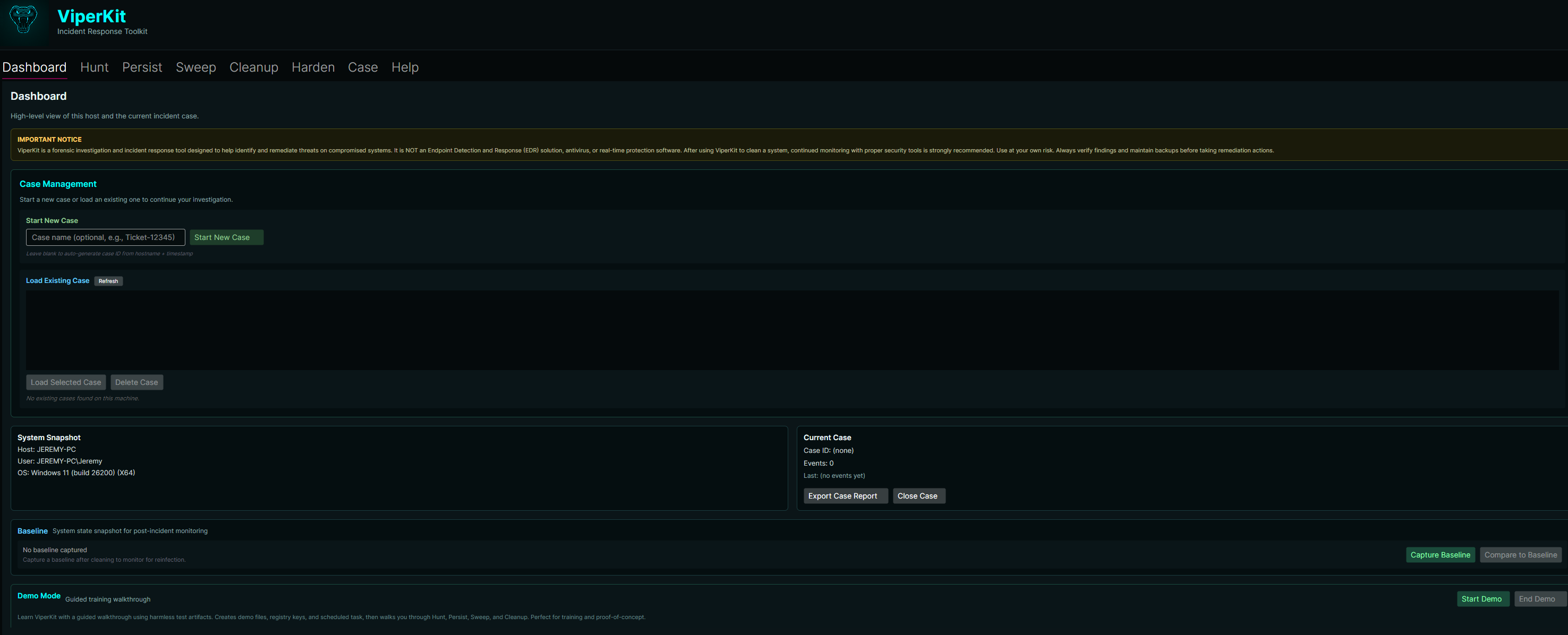
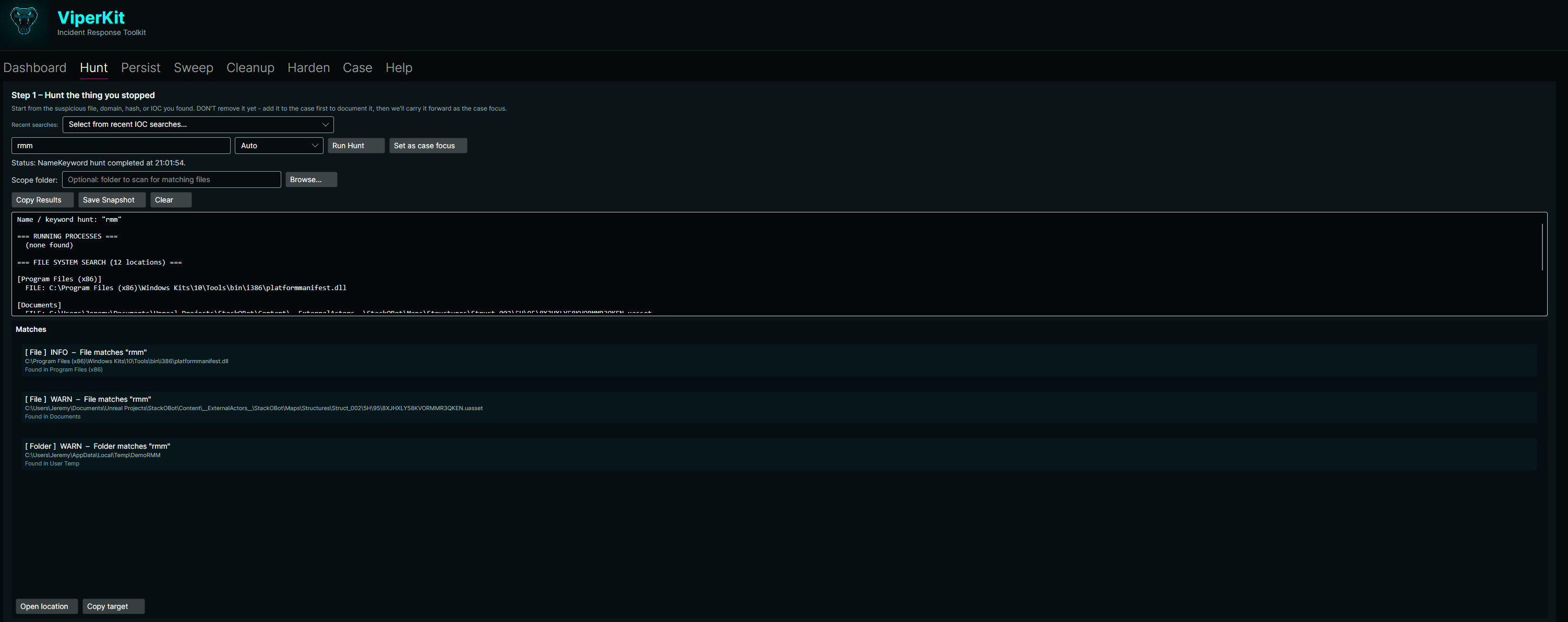

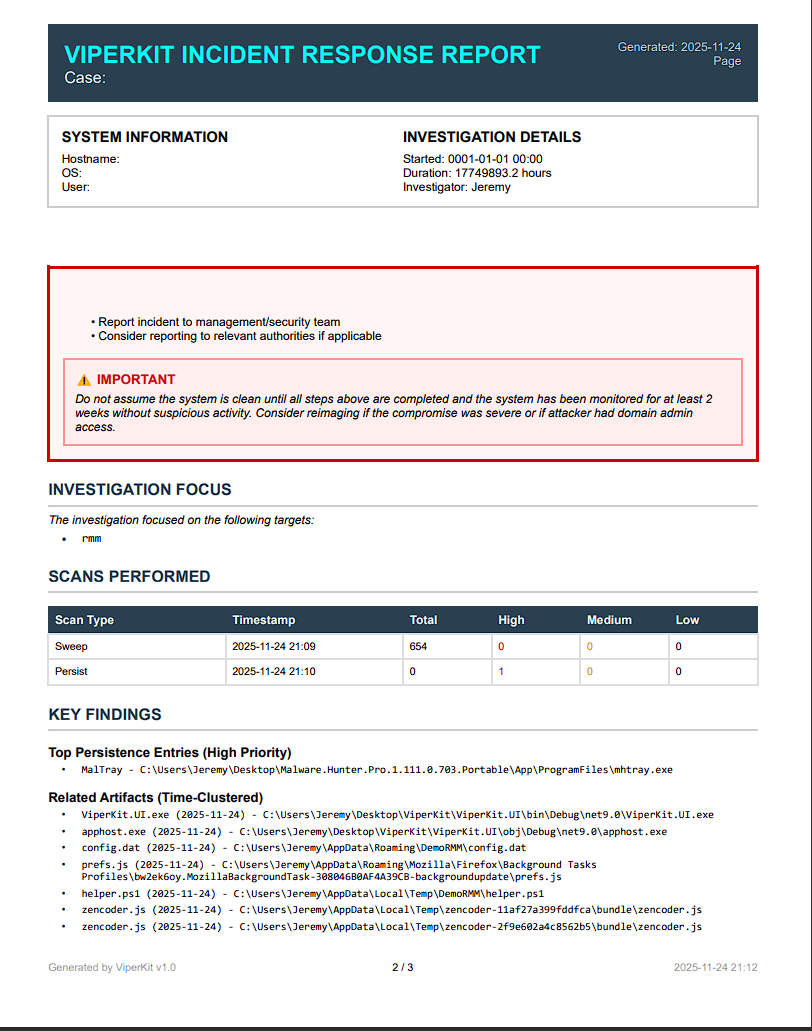
ViperKit provides a complete incident response workflow: Hunt → Persist → Sweep → Cleanup → Harden. Built with .NET 9.0 and Avalonia UI, featuring case management, PowerShell history analysis, time clustering, quarantine with undo, security hardening profiles, and professional PDF reports.
6. Links
ViperKit GitHub Repository Latest Release Report Issues / Request FeaturesViperKit is actively developed and available as open source (.NET 9.0, Avalonia UI). Contributions, feedback, and feature requests are welcome via GitHub Issues.