AD LAB
Active Directory Range
● Active1. Snapshot
2. Why I Built This
Working in MSP environments, I needed a safe Active Directory lab where I could:
- Break and repair systems without affecting client environments
- Practice Group Policy deployments before pushing to production
- Experiment with OU structures, user lifecycle management, and delegation
- Generate realistic screenshots and documentation for security testing
- Build a baseline environment for testing tools and attack/defense scenarios
Instead of Googling every GPO change or second-guessing AD modifications in production, this lab gives me a controlled environment to validate configurations, test security settings, and develop muscle memory for common AD tasks.
3. What This Lab Looks Like
Domain Controller (LAB-DC01)
Windows Server running AD DS, DNS, and DHCP. Manages the lab.local domain with multiple OUs and security groups.
Member Servers
File server and application server VMs joined to the domain, used for testing delegation, service accounts, and resource access.
Client Workstations
Windows 10/11 VMs representing user endpoints. Used for testing GPO application, authentication workflows, and client-side configurations.
Virtual Network
Isolated virtual LAN simulating a small organization network with internal DNS resolution and AD-integrated authentication.
4. How I Use It
Day-to-day tasks I practice in this lab:
- Group Policy testing: Deploy and troubleshoot GPOs before applying them to client environments
- Security hardening: Test password policies, account lockout settings, and user rights assignments
- User lifecycle management: Create, modify, and disable user accounts to mirror real MSP ticket workflows
- OU structure design: Experiment with organizational unit hierarchies and delegation models
- Service account management: Practice creating and securing service accounts for applications
- Baseline for tool testing: Use as a foundation when integrating with security tools or running attack simulations
This lab serves as my AD playground and reference environment. Any time I need to validate an approach or refresh my knowledge on AD administration, I fire up the lab and work through it.
5. Screenshots / Artifacts
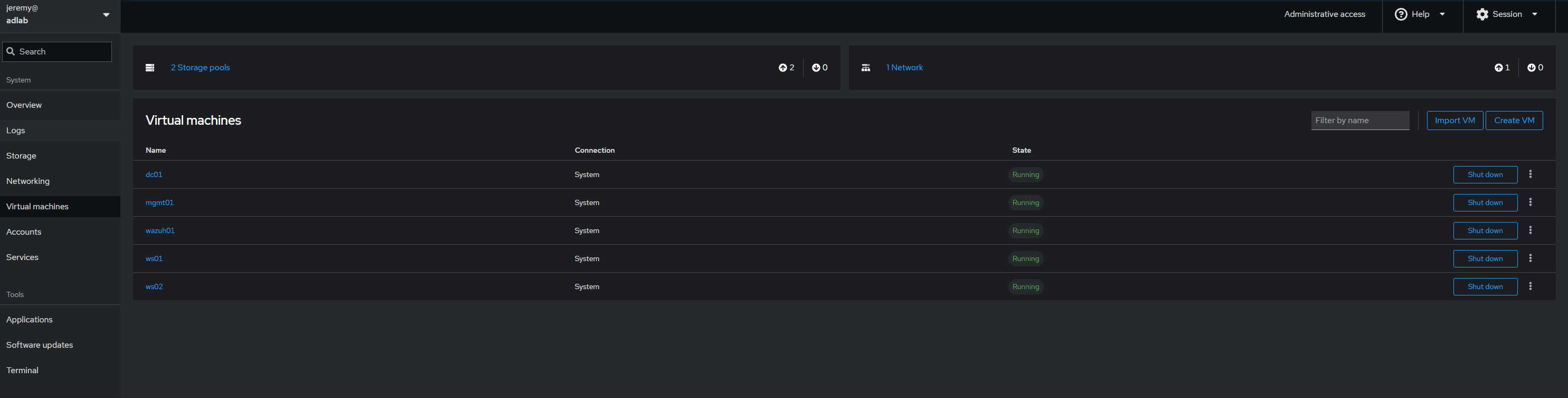
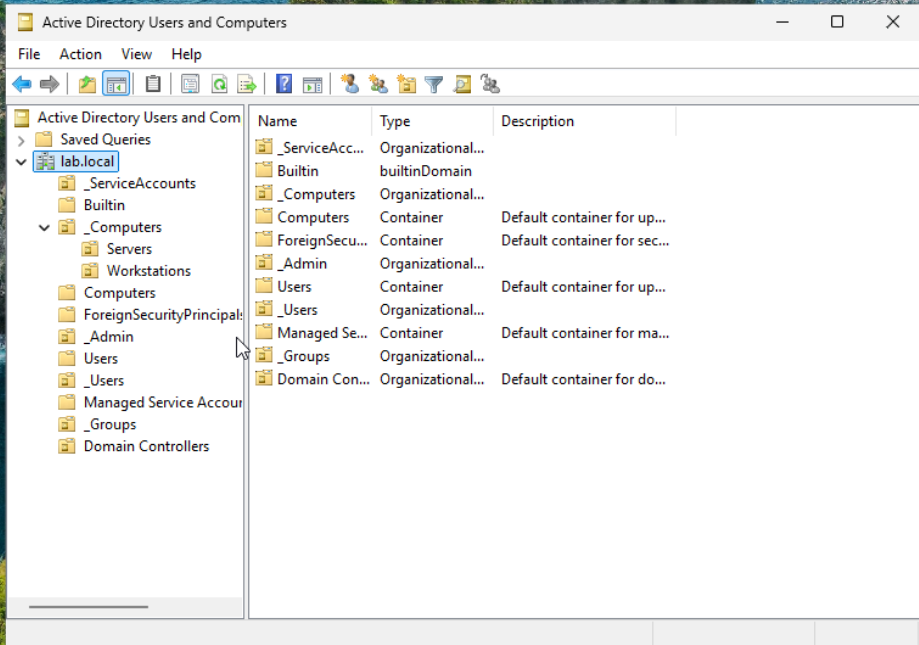
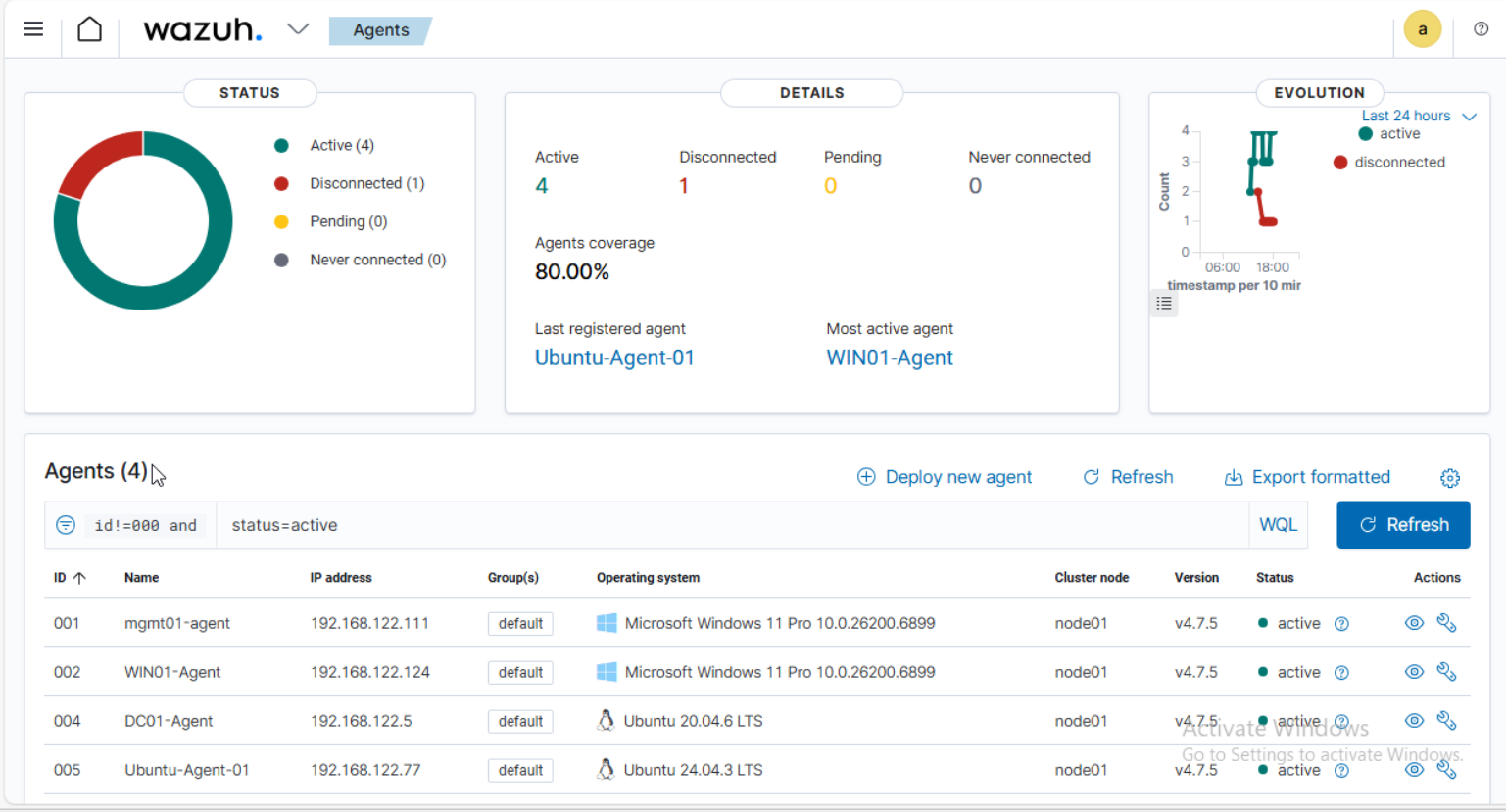
Lab includes: Ubuntu host with libvirt/KVM, Samba AD DC (LAB.LOCAL), Windows 11 Pro with RSAT, domain-joined Windows and Ubuntu workstations, and Wazuh single-node deployment with agents.
6. Links
AD Lab GitHub RepositoryFull build documentation for Samba AD DC + Windows RSAT + Wazuh single-node deployment. Includes setup guides, GPO examples, screenshots (ADUC, GPMC, Wazuh dashboard), and common pitfalls/resolutions.